This is a mod for people like me who feel that SoD's new dragon scale UI is... almost there.
- Title bar now use the old school Forgotten Realms font a la BG1.
- Tooltips, floating text and world map locations now use Post Antiqua, the font you already know and love.![image]()
- The Bhaal symbol was restored to the Game Button on the sidebar.
- Clock position adjusted (it's no longer off-center).
- Game log and action bar width adjusted. They're now properly aligned.
- The little white line from the game log has also been removed.
![image]()
- Action bar buttons are now equidistant from each other. Those buttons used to be grouped together according to the layout of a keyboard's F1-F12 keys, but most modern computers don't use that layout anymore, so...![image]()
- New header graphic and slightly tweaked layout.![image]()
- New header graphic and reworked World Map graphic: colors are now muted and look more like the SoD campaign maps. To be completely honest I'm not in love with this one, but then again I never liked BG:EE's oversaturated map, so there you go.
- Repositioned Travel Button.![image]()
- New background graphic: the journal window now looks less out of place using a new graphic posted by Pecca.![image]()
- Slightly tweaked layout. Headers are now consistent between Inventory/Record/Mage Book and Priest Scroll screens.
- Restored secondary color button.
- Combat Stats now list Number of Attacks under Damage (restored v1.3 feature).
- Gold number is yellow again.![image]()
- Redesigned Record screen, with a more familiar layout.![image]()
- Character portrait now has the correct proportions. How this got past QA in the first place is beyond me.![image]()
![image]()
- Different margins and scrollbar: these minor changes should make those screens more pleasant to look at and use, even if you don't like the list-of-spells layout.![image]()
- Totally redesigned Options screen. It also changes the big logo according to the current campaign (BG, SoD or Black Pits).![image]()
![image]()
![image]()
- Different store screens now have more consistent layout.
- Upper and lower panels are now properly joined.![image]()
- Bigger buttons for this screen.
Enjoy! As always, feedback, bug reports, complaints and suggestions are always appreciated.
What does it change?
(click the spoiler to read and view screenshots)Font Changes
- Buttons, labels, lists and the game log now use a variation of the font used in the original BG/BG2. This font was already in the game files and it is currently unused.- Title bar now use the old school Forgotten Realms font a la BG1.
- Tooltips, floating text and world map locations now use Post Antiqua, the font you already know and love.
New Parchment Color
- Parchment graphics from all screens have had their colors changed. I'm not the only one who thought they look a bit too white.Gameplay Screen

- The Bhaal symbol was restored to the Game Button on the sidebar.
- Clock position adjusted (it's no longer off-center).
- Game log and action bar width adjusted. They're now properly aligned.
- The little white line from the game log has also been removed.
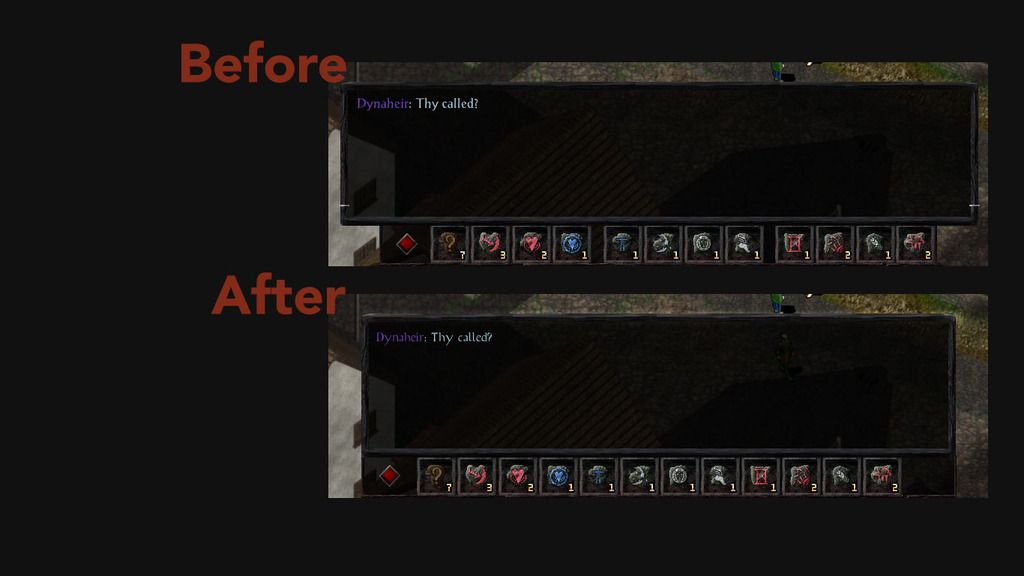
- Action bar buttons are now equidistant from each other. Those buttons used to be grouped together according to the layout of a keyboard's F1-F12 keys, but most modern computers don't use that layout anymore, so...
Area Map
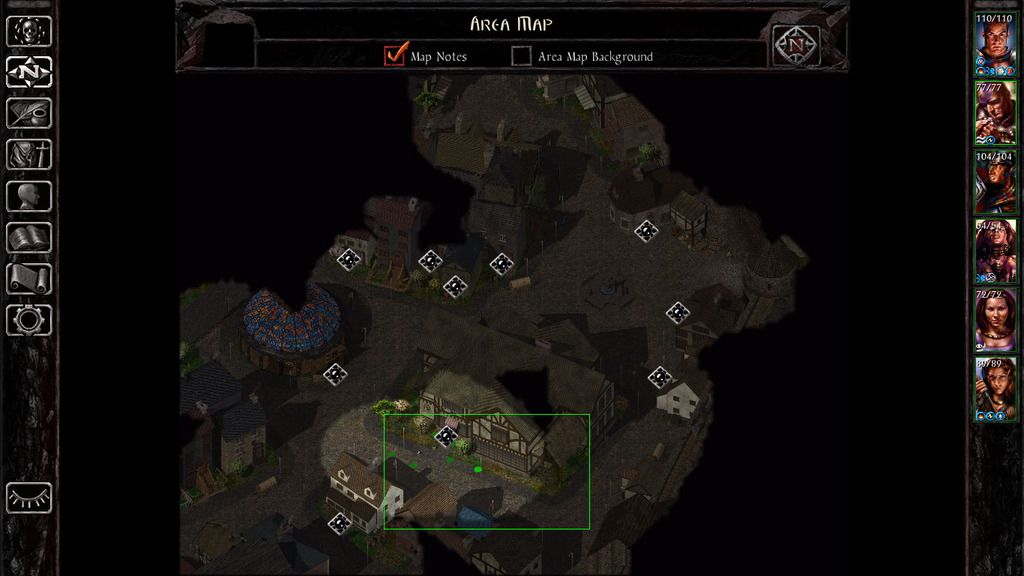
- New header graphic and slightly tweaked layout.
World Map
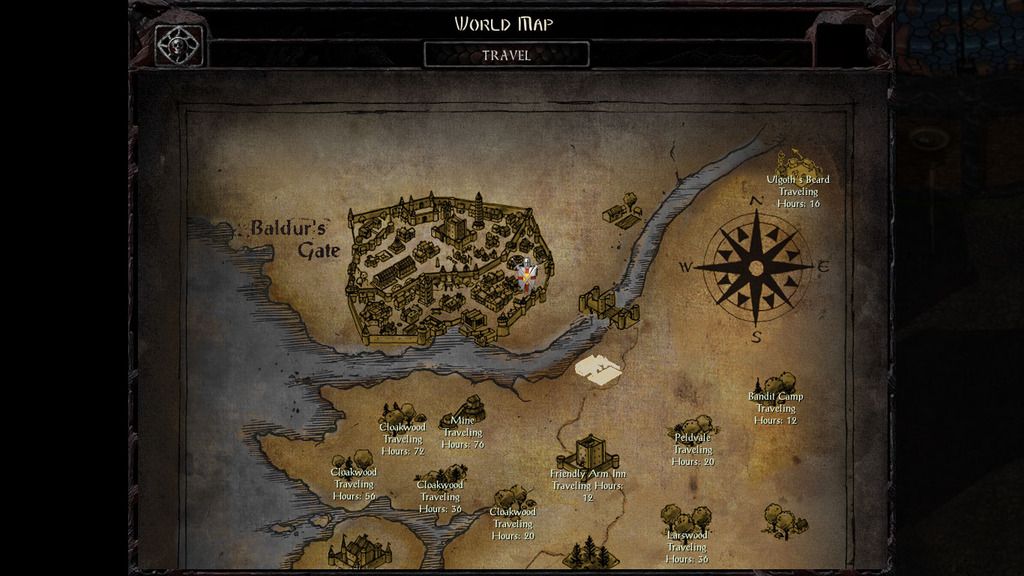
- New header graphic and reworked World Map graphic: colors are now muted and look more like the SoD campaign maps. To be completely honest I'm not in love with this one, but then again I never liked BG:EE's oversaturated map, so there you go.
- Repositioned Travel Button.
Journal
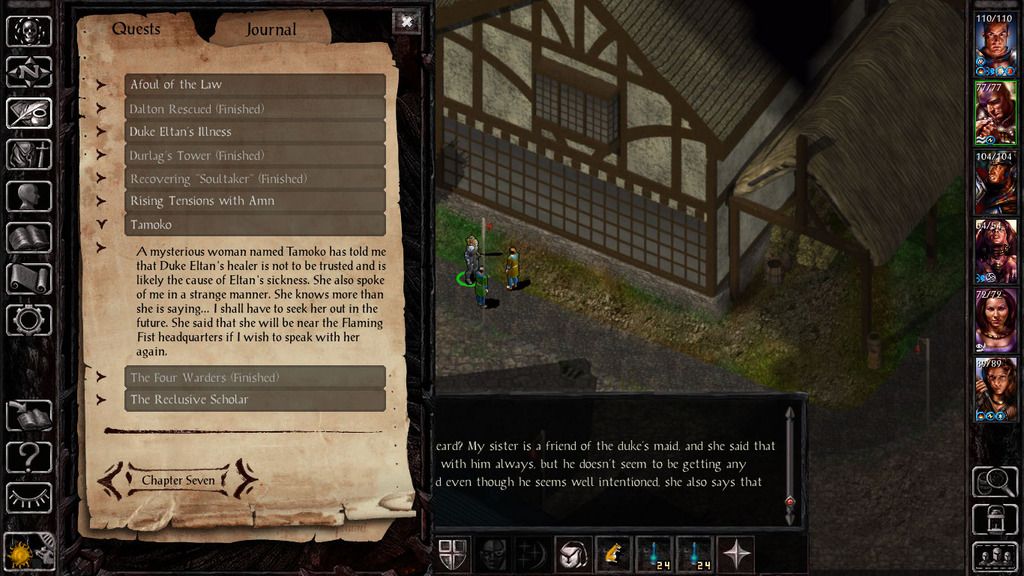
- New background graphic: the journal window now looks less out of place using a new graphic posted by Pecca.
Inventory

- Slightly tweaked layout. Headers are now consistent between Inventory/Record/Mage Book and Priest Scroll screens.
- Restored secondary color button.
- Combat Stats now list Number of Attacks under Damage (restored v1.3 feature).
- Gold number is yellow again.
Record

- Redesigned Record screen, with a more familiar layout.
Dual Class Screen
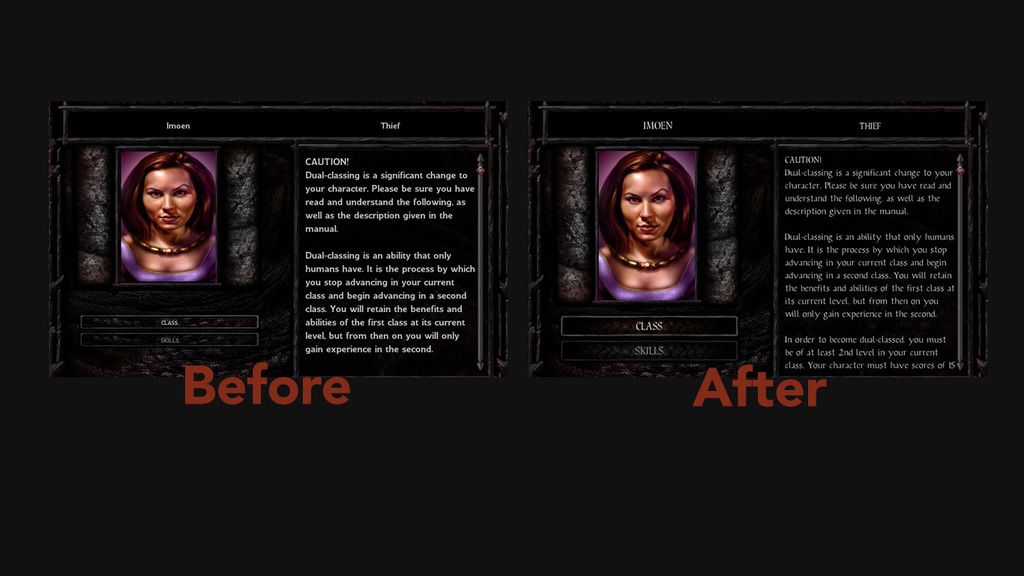
- Character portrait now has the correct proportions. How this got past QA in the first place is beyond me.
Mage Book and Priest Scroll
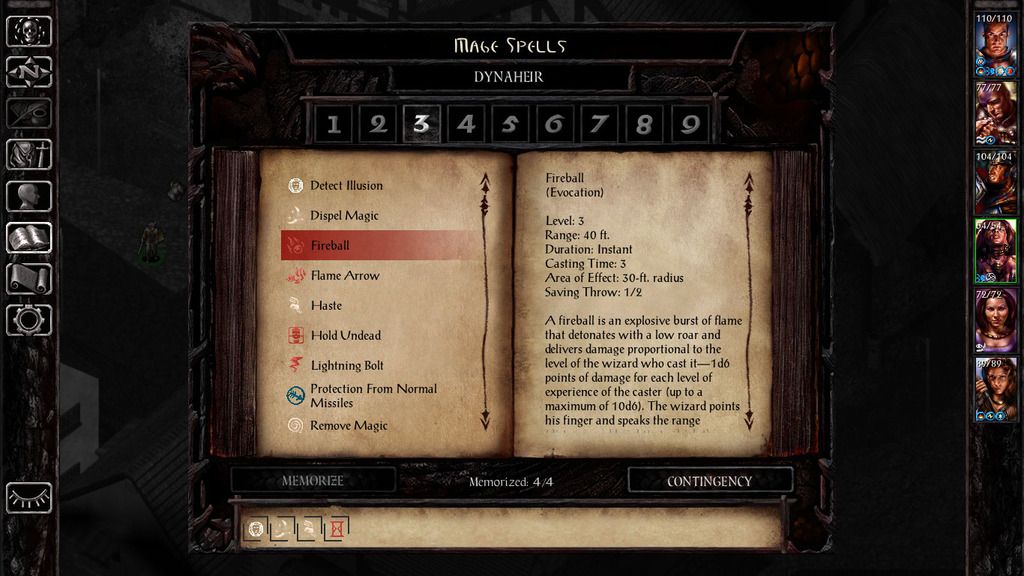
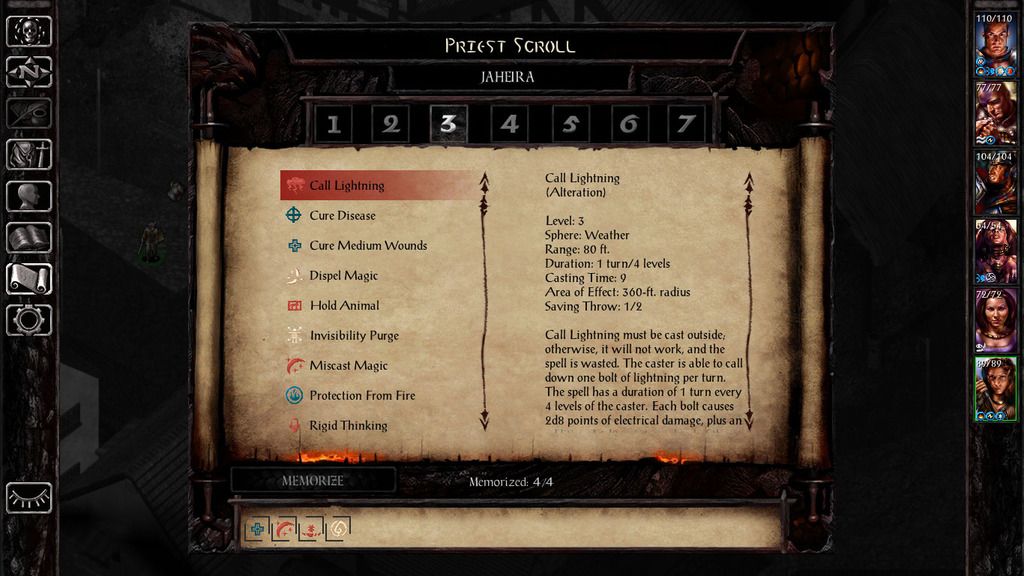
- Different margins and scrollbar: these minor changes should make those screens more pleasant to look at and use, even if you don't like the list-of-spells layout.
Options Menu
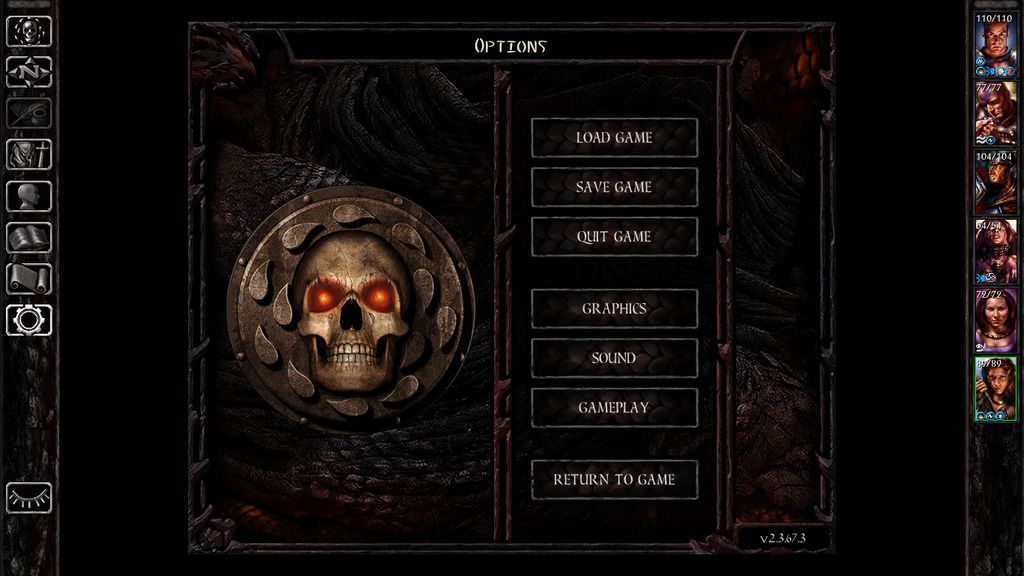
- Totally redesigned Options screen. It also changes the big logo according to the current campaign (BG, SoD or Black Pits).
Stores
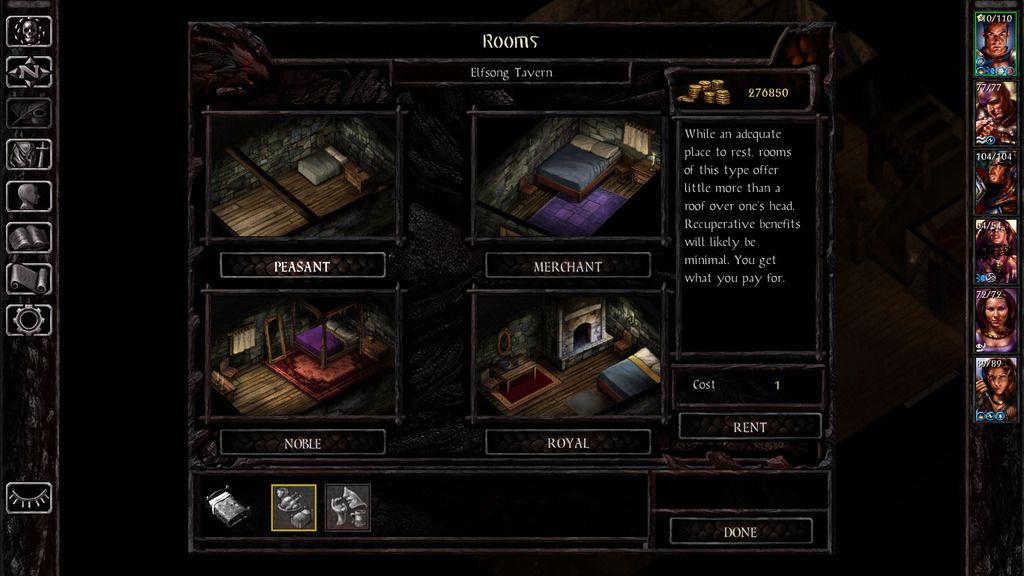
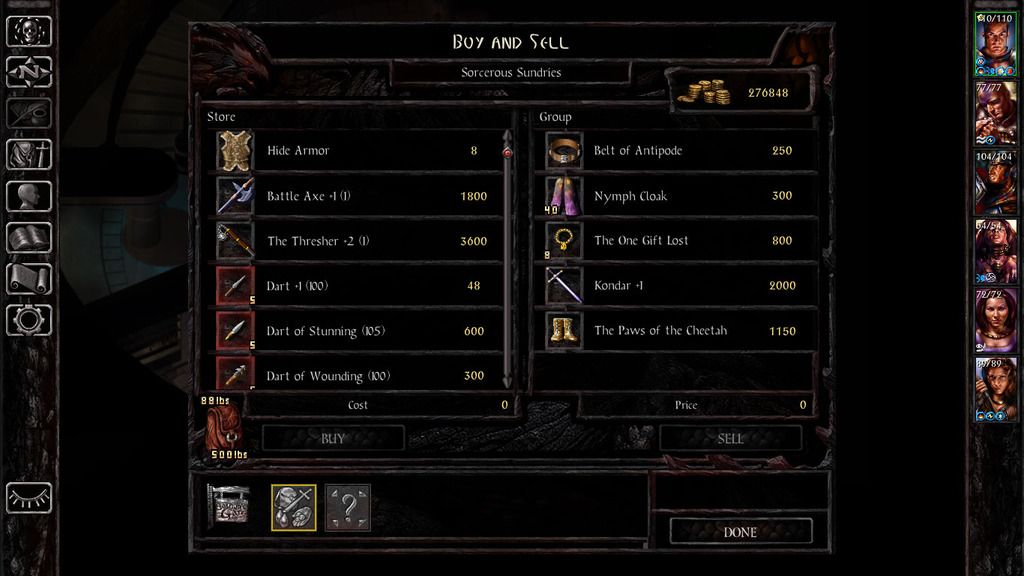
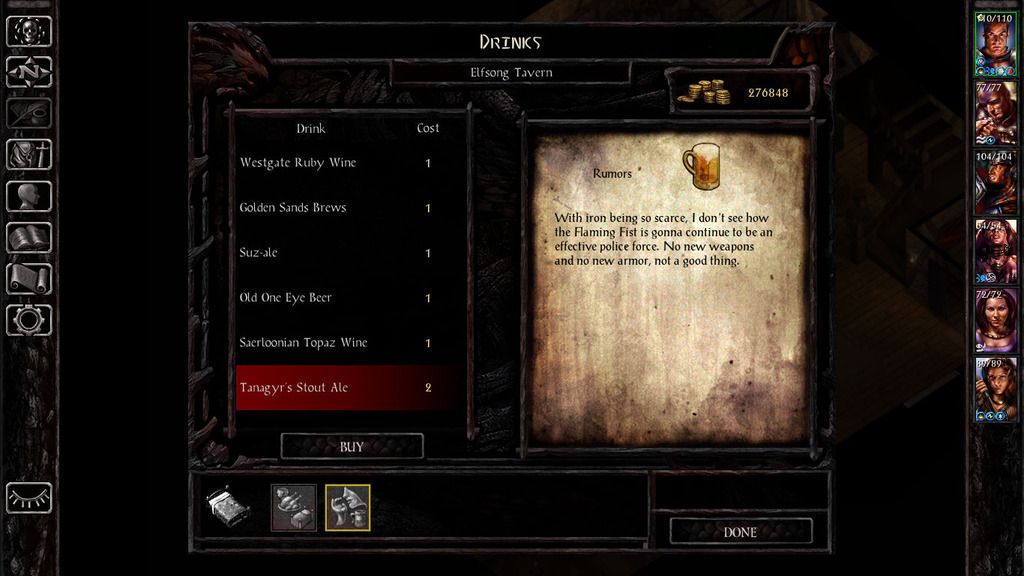
- Different store screens now have more consistent layout.
- Upper and lower panels are now properly joined.
Character Generation
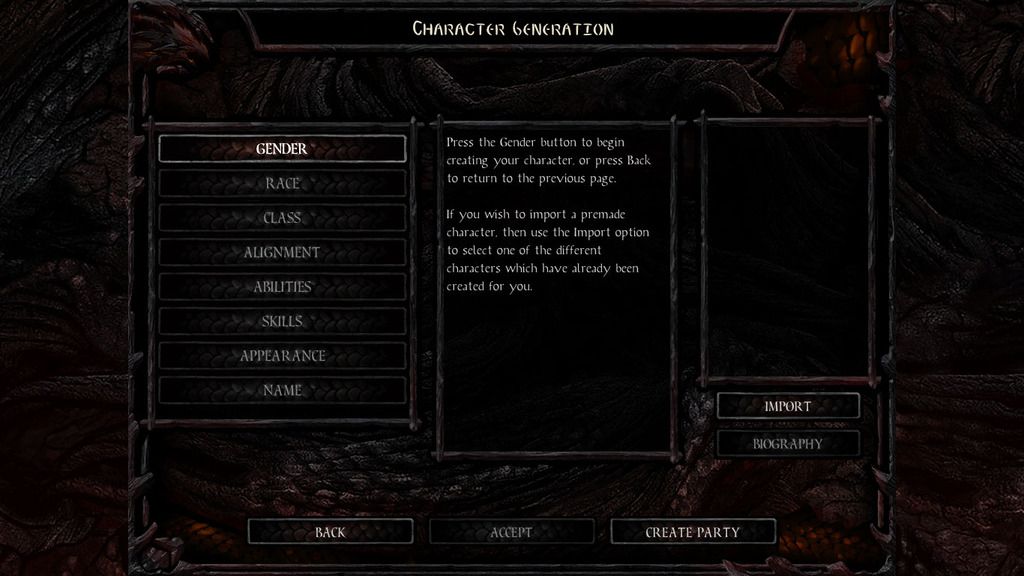
- Bigger buttons for this screen.
Installation
Just unzip the attached file on your Override folder which is located on Documents\Baldur's Gate Enhanced Edition. If the folder does not exist, it can be created.Compatibility
This is currently not a WeiDU mod. It will completely replace your UI.menu so it should be compatible with other GUI tweaks as long as it's installed first.A note on customization:
In order to revert or further tweak font changes, you should edit the styles in M_CKUI.LUA - please don't just delete the file, as it introduces new styles that are referenced by UI.menu.Enjoy! As always, feedback, bug reports, complaints and suggestions are always appreciated.


![Midge Ure – A Man of Two Worlds (2026) [Official Digital Download 24bit/96kHz]](http://imghd.xyz/images/2026/05/09/zvc67e2mth34l_600.jpg)